Why 3D Prints Fail and How to Fix Them | 3D Printing Troubleshooting Guide
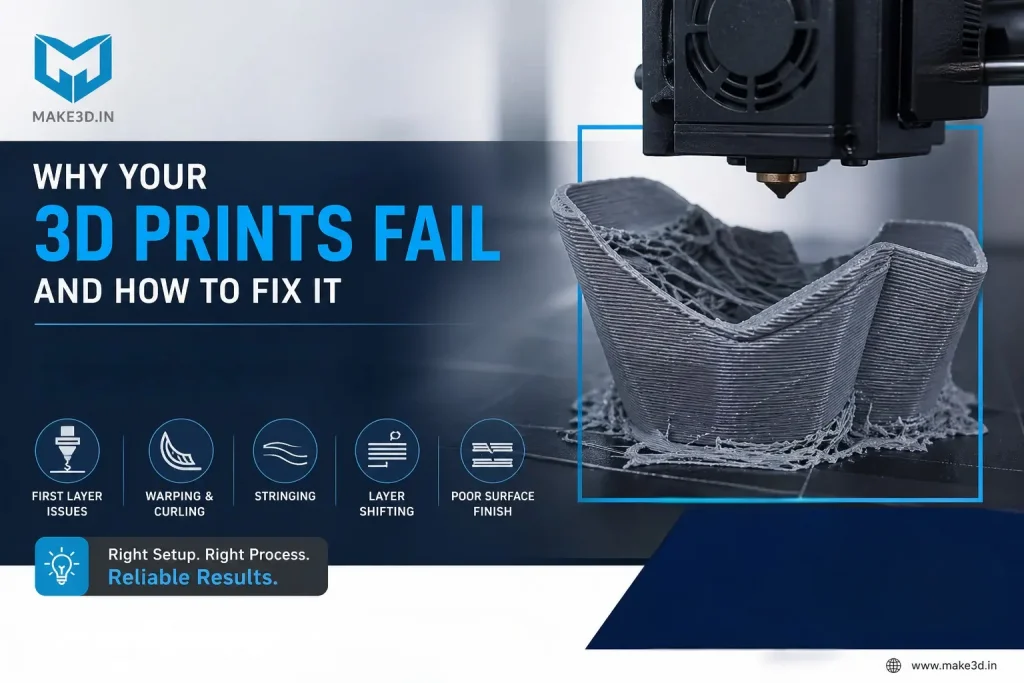
3D printing is widely used in product development, tooling, prototyping, and industrial manufacturing. However, many users experience inconsistent print quality after initial success. Print failures, warping, layer shifting, and poor surface finish are some of the most common challenges in additive manufacturing.
Understanding why 3D prints fail and how to fix them is essential for maintaining stable and repeatable printing performance. In most cases, the problem is not the 3D printer itself. Failures are usually caused by incorrect process settings, poor material handling, thermal instability, or mechanical issues.
This practical 3D printing troubleshooting guide explains the most common 3D printing problems and how to solve them effectively.
Understanding the Root Cause Before Changing Settings
Before adjusting printer settings, it is important to understand that 3D printing is a layer-by-layer manufacturing process. Every layer depends on the previous layer for dimensional stability and bonding strength.
Many users make random parameter changes without identifying the root cause. This often creates additional print quality issues instead of solving the original problem.
A structured troubleshooting method helps improve print consistency and reduces machine downtime.
1. First Layer Problems in 3D Printing
The first layer is one of the most important factors in successful printing. Poor first-layer adhesion often causes print failures, detached parts, and inconsistent extrusion.
Common first layer problems include:
- Uneven extrusion
- Poor bed adhesion
- Incorrect Z-offset
- Nozzle dragging on the print surface
How to Fix First Layer Problems
- Ensure proper bed leveling
- Set the correct nozzle gap and Z-offset
- Clean the build surface before printing
- Use recommended bed temperatures
- Validate first-layer consistency before long prints
Industrial users often run dedicated first-layer calibration tests to avoid print failures during long production jobs.
2. Warping in Engineering Materials
Warping is a common issue in engineering-grade materials such as ABS, Nylon, and Polycarbonate. These materials shrink during cooling, creating internal stress that lifts the edges of the printed part.
This thermal behavior is a material characteristic and not necessarily a machine defect.
How to Fix Warping in 3D Printing
- Maintain proper bed temperature
- Use an enclosed build chamber
- Avoid airflow near the printer
- Use brims or rafts for better adhesion
- Ensure uniform cooling conditions
In aerospace and industrial manufacturing environments, controlled thermal conditions are commonly used to reduce warping and improve dimensional stability.
3. Stringing Issues in 3D Printing
Stringing occurs when molten filament leaks during nozzle travel movements. This creates unwanted thin strands between printed features and affects both appearance and dimensional accuracy.
Common Causes of Stringing
- High nozzle temperature
- Incorrect retraction settings
- Moist filament
- Poor-quality material
How to Fix Stringing in 3D Printing
- Reduce nozzle temperature slightly
- Optimize retraction distance and speed
- Use dry and high-quality filament
- Store materials in moisture-controlled conditions
Proper material flow control is critical for achieving clean and professional print quality.
5. Balancing Print Speed, Resolution, and Surface Finish
There is always a trade-off between print speed and print quality. Higher print speeds can reduce surface quality and weaken layer bonding. Lower layer heights improve detail but increase production time.
Best Practice for Process Optimization
- Use balanced print speeds
- Select layer height based on application
- Choose proper nozzle size
- Prioritize dimensional accuracy for functional parts
- Optimize surface finish for display models
A properly optimized printing process improves consistency and reduces print rejection.
6. Importance of Filament Storage and Material Quality
Material quality directly affects print consistency. Engineering materials such as Nylon, PETG, and ABS absorb moisture from the environment, causing poor extrusion and weak layer bonding.
How to Store 3D Printing Filament Properly
- Store filament in dry containers
- Use sealed dry boxes
- Dry moisture-sensitive materials before printing
- Avoid long exposure to humidity
Professional manufacturing setups maintain controlled material storage conditions to ensure reliable production results.
A Practical 3D Printing Troubleshooting Method
Instead of changing multiple settings at once, users should follow a structured process:
- Start with standard machine profiles
- Use recommended material settings
- Test one parameter at a time
- Validate results before optimization
- Maintain stable environmental conditions
This approach improves process understanding and reduces trial-and-error printing failures.
How Make3D Helps Improve Print Consistency
Make3D’s industrial 3D printing systems are designed for stable and repeatable performance in engineering and manufacturing environments.
Features such as:
- Rigid machine structure
- Controlled heating systems
- Engineering material compatibility
- Automatic bed leveling
- Local technical support
help users maintain consistent print quality and minimize downtime.
Industrial users require predictable and repeatable manufacturing performance, and process stability plays a key role in successful additive manufacturing.
Conclusion
Understanding why 3D prints fail and how to fix them is essential for improving reliability and print quality in industrial and professional 3D printing applications.
Most 3D printing failures are caused by process control issues, thermal instability, incorrect material handling, or mechanical setup problems. Once these fundamentals are properly managed, the printing process becomes stable, repeatable, and efficient.
A structured troubleshooting approach, combined with proper machine maintenance and optimized material settings, helps achieve consistent and high-quality 3D printing results.